
🔥 OBD2 Scanner Black Friday Deals for 2026: picks worth watching →
You are driving home when the check engine light suddenly glows on your dashboard. Your mind races with questions: Is it serious? Will the repair cost a fortune? You need answers fast, and a reliable OBD2 scanner can provide them. This ZMOON ZM201 professional OBD2 scanner review is written for car owners and DIY enthusiasts who want an affordable, easy-to-use diagnostic tool that actually works. We have evaluated eight of the top models on the market, from budget-friendly code readers to advanced multi-system scanners, to help you make an informed choice. For a deeper look at live data features, check out our FOXWELL NT301 live data review.


Buying Guide
Vehicle Compatibility and Protocol Support
Before you buy any OBD2 scanner, confirm it works with your car. Most scanners support all five OBDII protocols (KWP2000, ISO9141, J1850 VPW, J1850 PWM, and CAN) and are compatible with 1996 and newer U.S. vehicles. However, some models like the TOPDON AD500 cover specific brands and newer CAN FD protocols, while the FOXWELL NT604 Elite supports 60+ global brands. Always check the manufacturer’s compatibility list for your specific make, model, and year. If you drive a 2020+ GM or Chrysler, the TOPDON AD500 is a strong candidate.
Diagnostic Depth: Basic vs. Multi-System Scanning
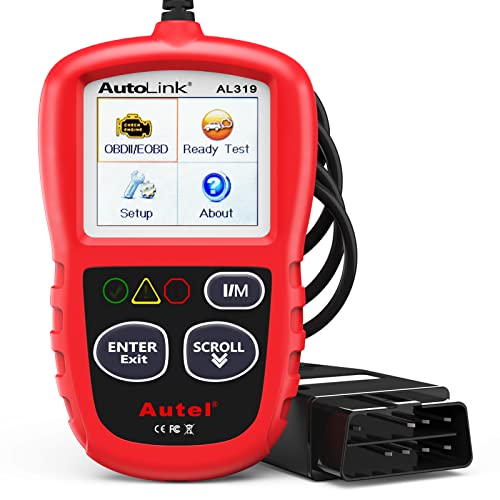
Basic code readers like the ZMOON ZM201 and Autel AL319 focus on engine diagnostics: reading and clearing DTCs, viewing live data, and checking I/M readiness. They are perfect for checking that check engine light. If you need deeper diagnostics, consider a multi-system scanner. The TOPDON AD500 and FOXWELL NT604 Elite also scan ABS, SRS, and transmission systems, giving you a fuller picture of your vehicle’s health. For a comparison of high-end scanners, read our Autel MK808 vs MK808S guide.
Ease of Use and Display Quality
No one wants a confusing tool when they are already stressed about a car problem. Look for scanners with intuitive menus, shortcut keys, and clear color displays. The ZMOON ZM201 features a 2.8-inch color screen with adjustable brightness, while the TOPDON AD500 offers a large 5-inch touchscreen. Models like the Launch G700 have dedicated F1/F2/F3 buttons for one-touch code reading and erasing. A built-in speaker or LED indicator (as on the Autel AL319) can also provide quick status feedback without reading the screen.
Live Data and Advanced Features
Live data graphing lets you see real-time sensor values like RPM, coolant temperature, and fuel trim. This helps you spot engine issues early. The FOXWELL NT301 and Launch G700 both display live data as curves or graphs. Some scanners also include freeze frame, O2 sensor tests, and EVAP system checks. If you plan to use your scanner for smog check preparation, ensure it has an I/M readiness function. Many models, including the Innova 5210, also offer oil reset features. For more tips on choosing a code reader, visit our best code readers guide.
Final Thoughts
After reviewing all eight scanners, our top recommendation for most car owners is the ZMOON ZM201 Professional OBD2 Scanner Diagnostic for its unbeatable value, clear display, and essential engine diagnostics at a budget-friendly price. If you need more advanced multi-system capabilities for ABS, SRS, and transmission, the TOPDON AD500 OBD2 Scanner Car Diagnostic Tool is a powerful upgrade that justifies its higher cost with extensive vehicle coverage and six reset functions. Both tools are excellent investments that will save you time and money on car repairs.
Frequently Asked Questions
Will the ZMOON ZM201 work with my 2005 Toyota Camry? Yes, the ZMOON ZM201 is compatible with most 1996 and newer U.S. vehicles, including the 2005 Toyota Camry. It supports all standard OBDII protocols and plugs directly into the 16-pin DLC port under the dashboard.
Can I clear the check engine light with the ZMOON ZM201? Yes, the ZMOON ZM201 can read and clear engine fault codes. However, it can only turn off the check engine light after you have physically repaired the underlying issue. If the problem persists, the code will return.
Does the ZMOON ZM201 require batteries or a smartphone app? No, the ZMOON ZM201 is powered directly from your vehicle’s OBD2 port. It requires no batteries, charging, Bluetooth, or phone app. Simply plug it in, turn the ignition on, and start diagnosing.
What is the difference between the ZMOON ZM201 and the FOXWELL NT301? Both are excellent engine code readers, but the FOXWELL NT301 offers more advanced live data graphing and dedicated smog check readiness indicators. The ZMOON ZM201 is more affordable and includes a built-in DTC database of over 50,000 codes. For a detailed comparison of live data features, see our FOXWELL NT301 review.